Built for Head Start and Early Head Start

Every part of your program, in one suite.

One system to run your whole agency: enrollment, staff, centers, safety, compliance, your board and your finances. Start with the modules you need, and add the rest when you’re ready.

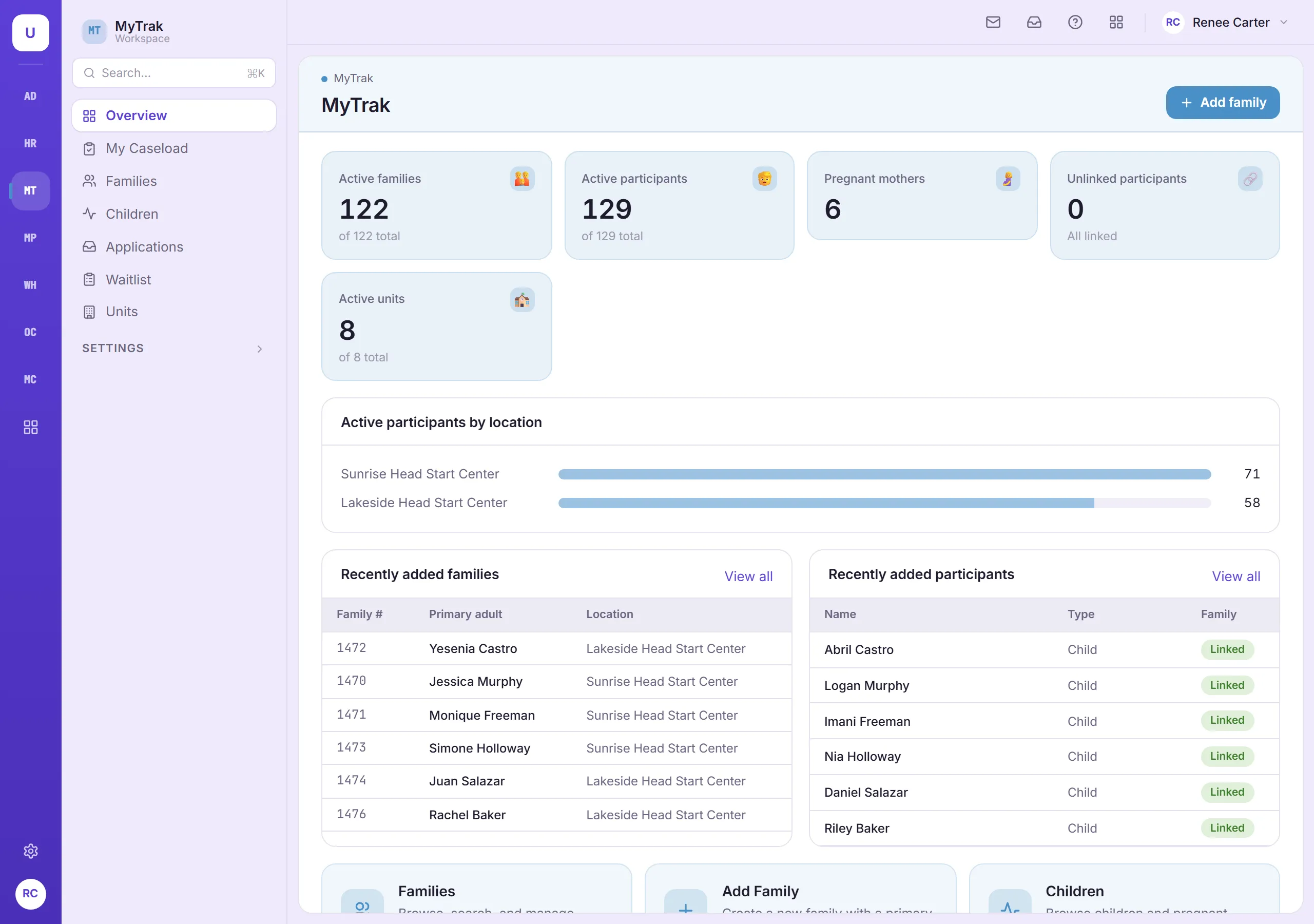
MyTrak overview showing active families, participants, expectant mothers and classrooms, with enrollment by center.

TMS by the numbers

15connected modules, one login
121Performance Standards sections built in
404FA2 self-assessment questions ready to use
418examples of acceptable evidence
156corrective-action guides
52ready-made safety checklists
Connected by design

Enter it once. Use it everywhere.

Information entered in one module is ready in the others, so staff enter it once and everyone works from the same facts.

01

You hire someone

Their HR record follows them into their job description, the bus inspections they sign, and the equipment they’re issued.

02

A child is enrolled

The child appears in their teacher’s MyProgress classroom, ready to be assessed.

03

An order arrives

When the order is received, your Warehouse stock updates on its own. No one types it in twice.

04

You check in

Your dashboard brings the numbers together from across TMS, and they always match the modules.

A staff member and a parent go over an application together at a table.
For program staff

Less data entry, more time with families.

When information is entered once and shared, staff spend less time on paperwork. Each person sees the part of TMS their job needs: a center clerk sees their center, a district admin sees their district, and leadership sees it all.

Across the suite

Tools for everyone in your agency.

Portals for families and job applicants, and everyday tools for your staff.

Messages

Staff send each other messages inside TMS, and get a note when something needs their attention.

Employee self-service

Every employee can update their information, request leave, clock in and out, and submit reimbursements.

Parent portal

Families apply online and follow their application in plain language.

Job applicant portal

Applicants apply, sign, accept offers and get started on paperwork before their first day.

Purchasing

Purchase requests, purchase orders emailed to vendors, and receiving. Included with Warehouse or Finance.

Approvals in one place

Orders, purchases, leave, overtime, reimbursements and job applications all follow the approval steps your agency sets.

Compliance & security

Ready for monitoring, every day.

Platform & security details →

The right access for every role

Each person sees what their job needs. A center clerk sees their center, a district admin sees their district, and the executive team sees everything.

A record of what changed

TMS keeps a history of changes to attendance, assessments, inventory, equipment, evaluations and access, so you can always answer “who changed this, and when?”

Signed when it happens

Deliveries, bus inspections, time punches, job applications and evaluations are signed by the people responsible, at the moment they happen.

Sensitive information protected

A second sign-in step keeps accounts safe, and Social Security numbers, bank details and tax IDs are protected and partly hidden.

FAQ

Common questions

Do we have to buy the whole suite?

No. You choose the modules your agency needs and add others later. Each person only sees the modules they use.

Is TMS built specifically for Head Start?

Yes. ERSEA enrollment, the Performance Standards, FA1 and FA2 reviews, USDA meal counts, Policy Council governance and grant accounting are part of TMS from the start, not added on later. TMS is designed around these requirements and supports your compliance work; it does not certify compliance.

How do we train staff without touching real records?

Your agency gets a separate practice site that works just like the real one, so staff can learn on realistic examples without changing anything that matters. The practice site never sends email to real people. TMS also comes with built-in courses that teach staff how to use it.

Who controls who sees what?

Your administrators do. Access is set by job role and can be adjusted for individual people, including limiting someone to their own center or district. New staff have no access until it’s given to them.

Is our information kept separate from other agencies?

Yes. Your agency’s information is kept separate from every other agency’s, and sensitive information like Social Security numbers and bank details is encrypted.

Does TMS run payroll?

No. TMS doesn’t run payroll, but it can share staff information with your payroll system in both directions, so the two stay in step.

See TMS with your program’s data in mind.

A walkthrough of the modules you’re considering.

Request a demo