Workflow
Turn each employee’s job description into their plan for the year: the work they’re responsible for, the monitoring visits they receive and the reports they owe. When review time comes, the evaluation is built from the year’s actual work.
Who uses it: HR and administrators, supervisors and employees.
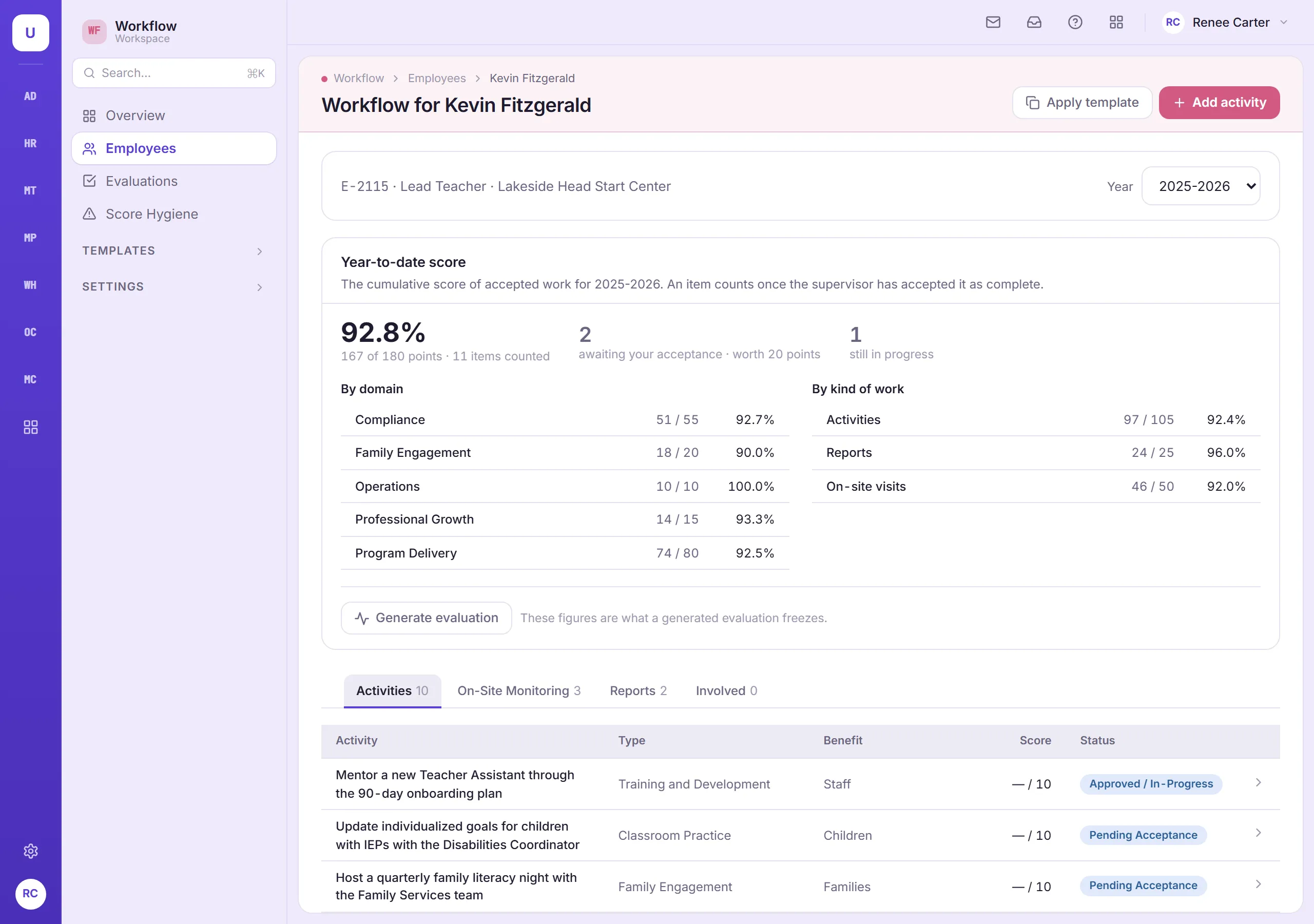
Built around how your teams work
A plan for every employee’s year
Each person’s responsibilities, due dates and progress in one place, with checklists for work that has several steps.
On-site monitoring visits
Record visits by site and content area, note who was observed, and flag when a corrective action plan is needed. Follow-up work links back to the visit.
Reports on schedule
Weekly, monthly, quarterly, annual, enrollment and USDA reports, each with a due date.
Supervisors sign off on the work
Employees mark work done, and supervisors accept it. No one scores their own work.
Set up a whole team at once
Give everyone in the same job a standard set of responsibilities in one step, and undo it if you need to.
Evaluations built on the year’s work
Scores roll up into the evaluation using rating levels your agency sets. Once signed, it can’t be changed, and employees always have room to comment, because signing is not the same as agreeing.
Also in Workflow
- Printable evaluations
- People see only the work they’re part of or supervise
Connected to the rest of TMS
How Workflow shares records with other modules.